Bring your swing.
Record or import a tennis video. A clear view of the full stroke gives your AI coach more to work with.
 EasySwing
You bring the practice. EasySwing brings a fresh perspective — with AI feedback on your tennis videos and a clearer idea of what to work on next.
For iPhone · Available on the U.S. App Store
Free to download. In-app purchases available.
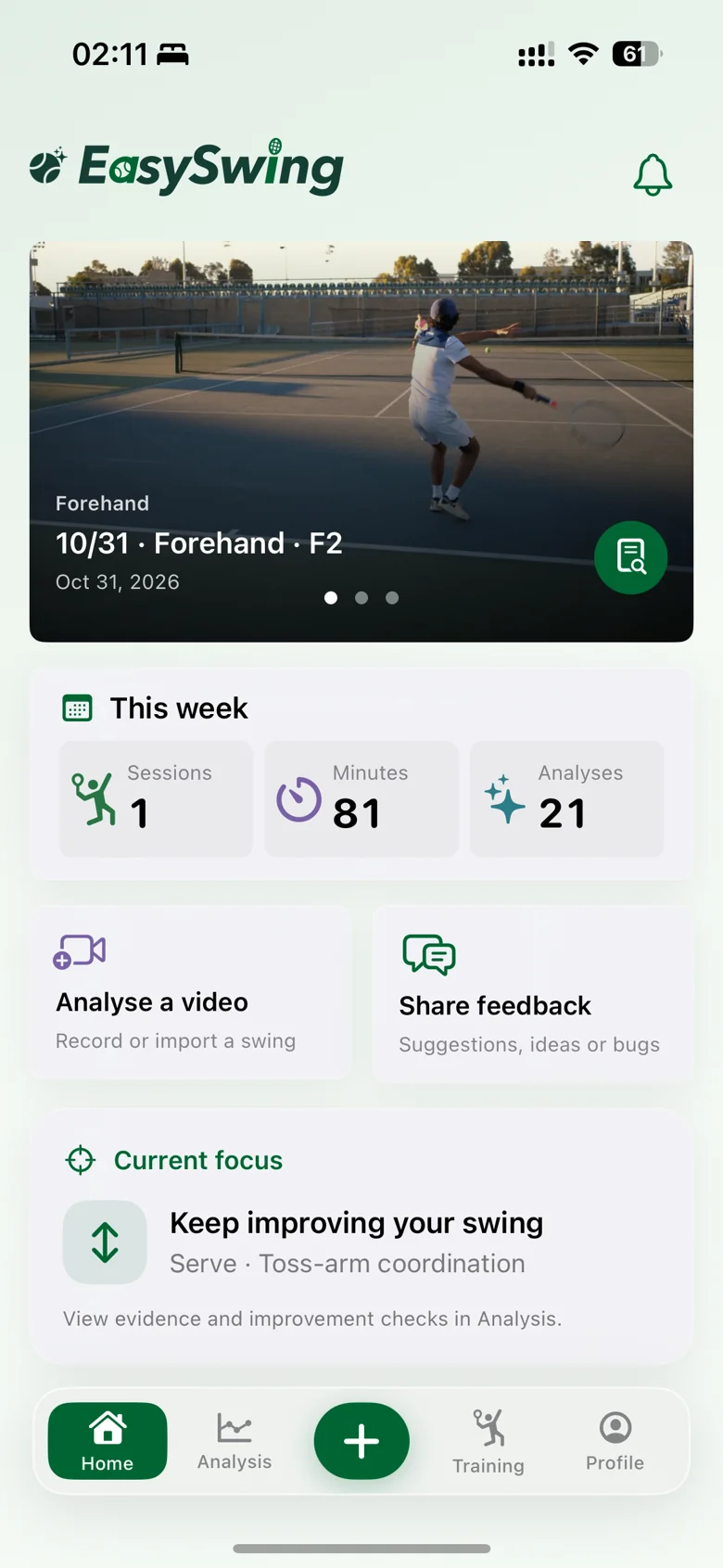
A second look at your swing can make your next session more intentional.
Record or import a tennis video. A clear view of the full stroke gives your AI coach more to work with.
Read your swing feedback, revisit the highlighted moments, and explore what you could work on next.
Ask a follow-up question. Keep a training record. Come back to your feedback when you practice again.
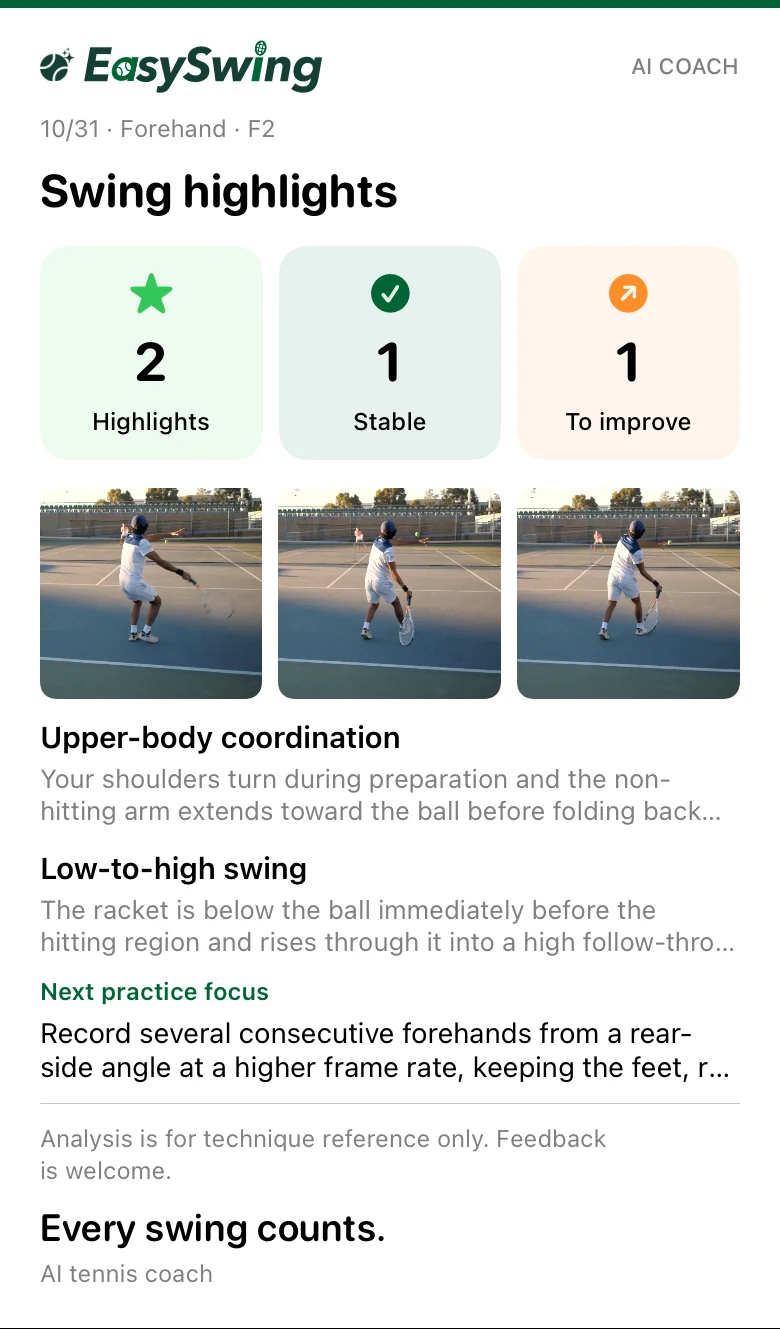
Go beyond watching the same clip on repeat. Explore an AI report with swing highlights, supporting frames, and suggestions for your next practice.
A real report from the app. Individual feedback varies by video.
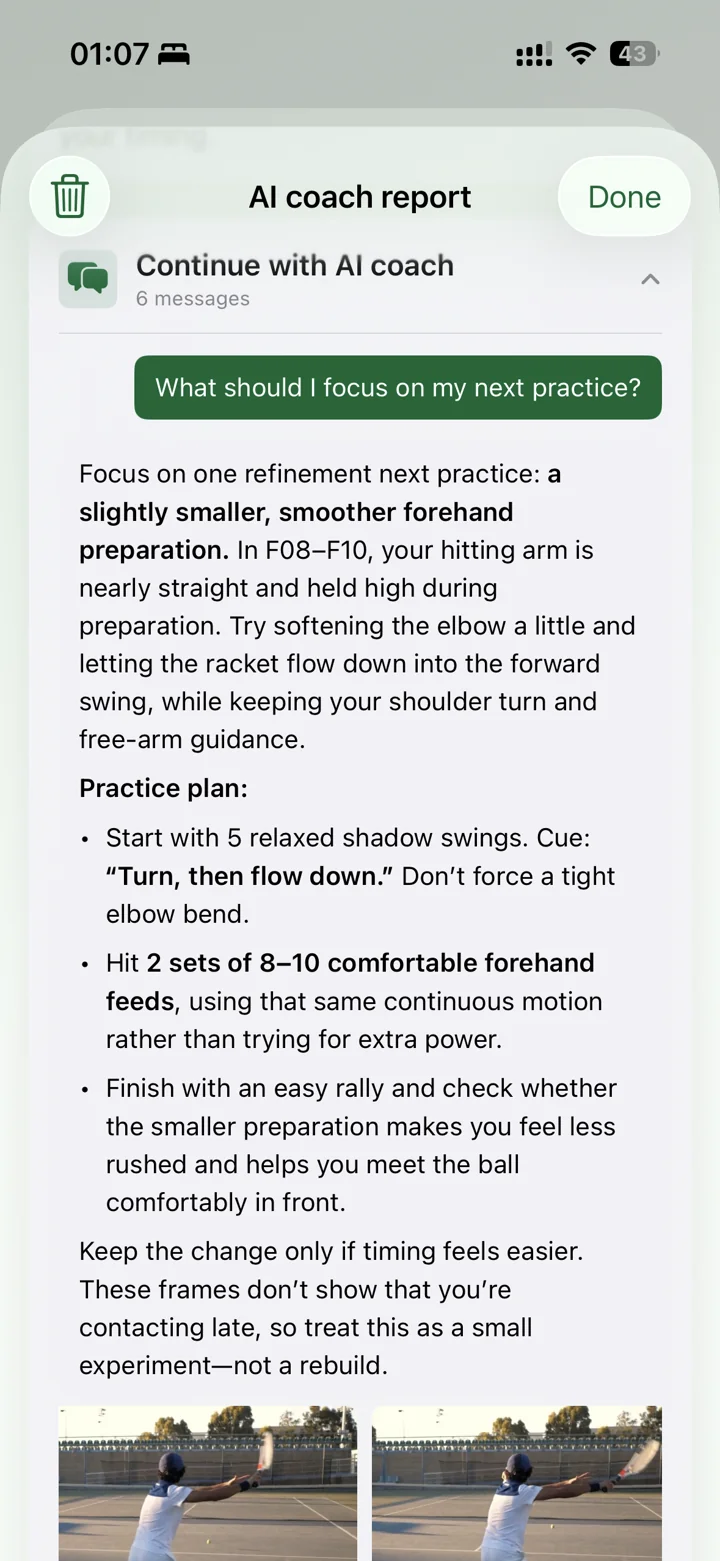
“What should I focus on in my next practice?” Ask about your report, get an explanation, and turn the feedback into a practical next step.
Follow-up questions stay connected to your analysis.
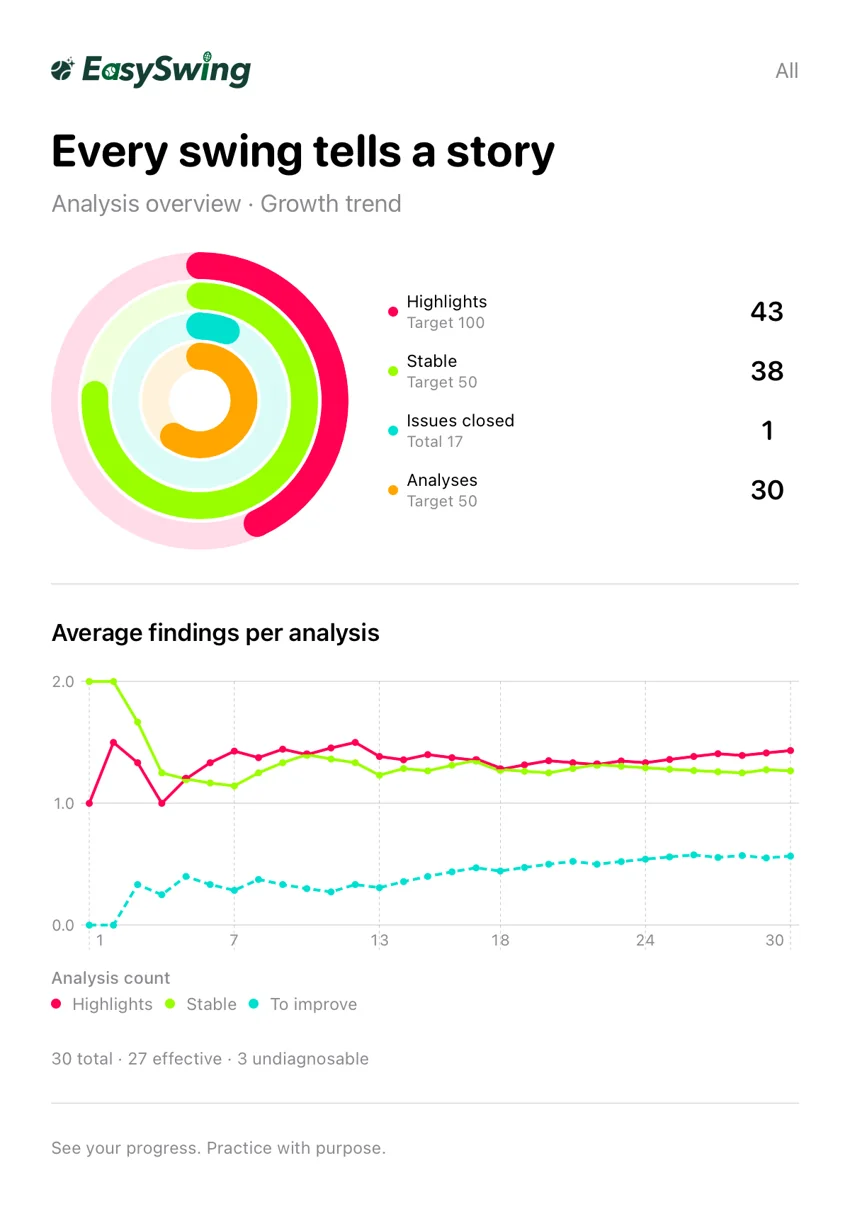
Revisit your analyses and the patterns in your feedback. Keep your practice priorities in view as you return to the court.
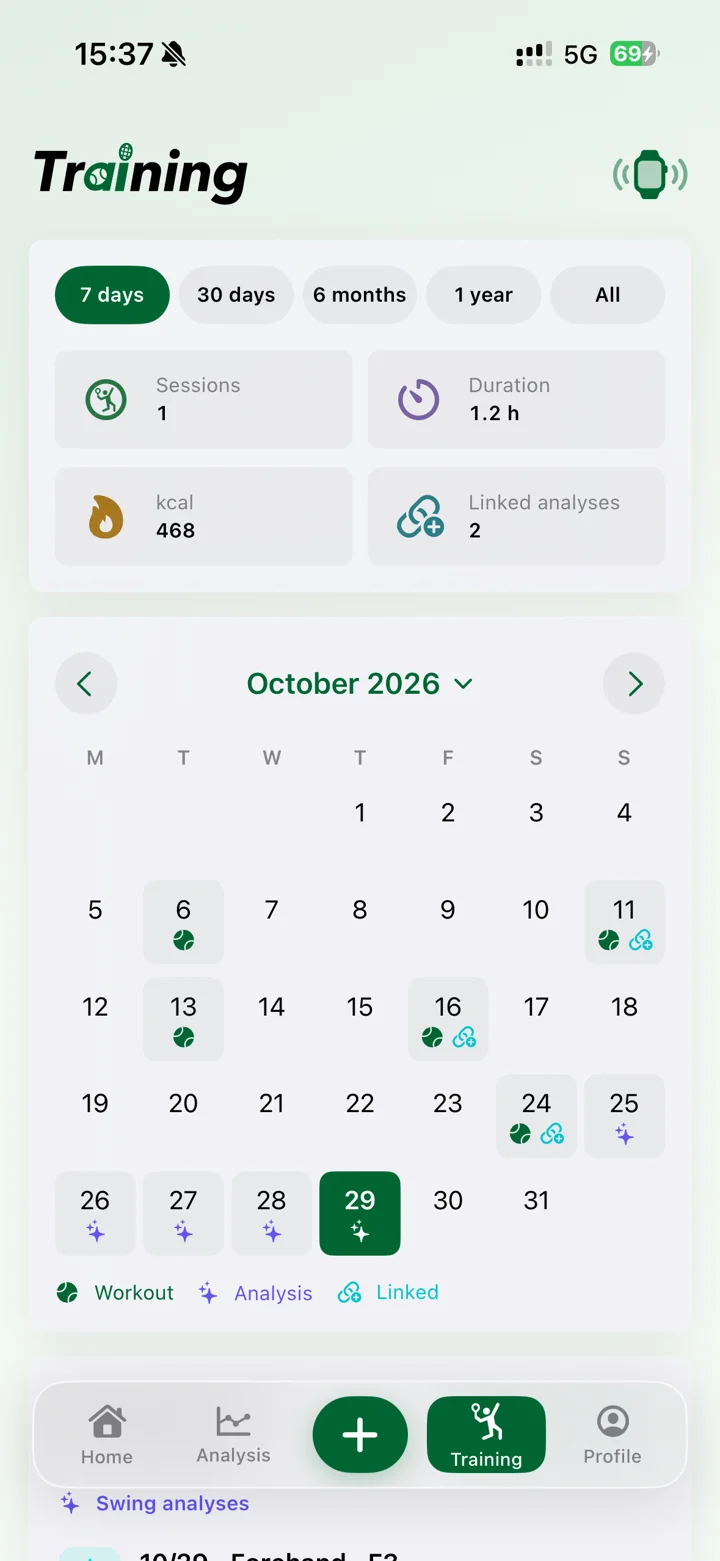
Link your training sessions with swing videos and reports. Look back at what you practiced, alongside the feedback that shaped it.
EasySwing is available for iPhone on the U.S. App Store. Availability depends on your App Store account region. Visit the listing for current device and iOS requirements.
The app is free to download, with in-app purchases for memberships and additional usage. See the app and App Store listing for current prices and included allowances.
Use a clear, continuous clip showing the full stroke, with the player visible. Camera position, lighting and video quality affect what the AI can observe.
Yes. You can ask follow-up questions connected to your analysis, including explanations and ideas for your next practice. Usage allowances apply.
AI feedback is a training reference and can be mistaken. It is not medical advice or a substitute for an in-person coach. Use your judgment and practice within your limits.
AI analysis requires your consent to share the relevant video material with the analysis service. You can manage AI data sharing in the app. Read our Privacy Policy for processing, storage and account-deletion details.
For iPhone · Available on the U.S. App Store
Free to download. In-app purchases available.